In the Vulmatch app I see that it is possible to get a list of CVEs by a particular ATT&CK technique.
How can I do the same thing using the Vulmatch API? I want to add a search for CVE by ATT&CK technique feature in my app.
In the Vulmatch app I see that it is possible to get a list of CVEs by a particular ATT&CK technique.
How can I do the same thing using the Vulmatch API? I want to add a search for CVE by ATT&CK technique feature in my app.
Hey @dtp1900
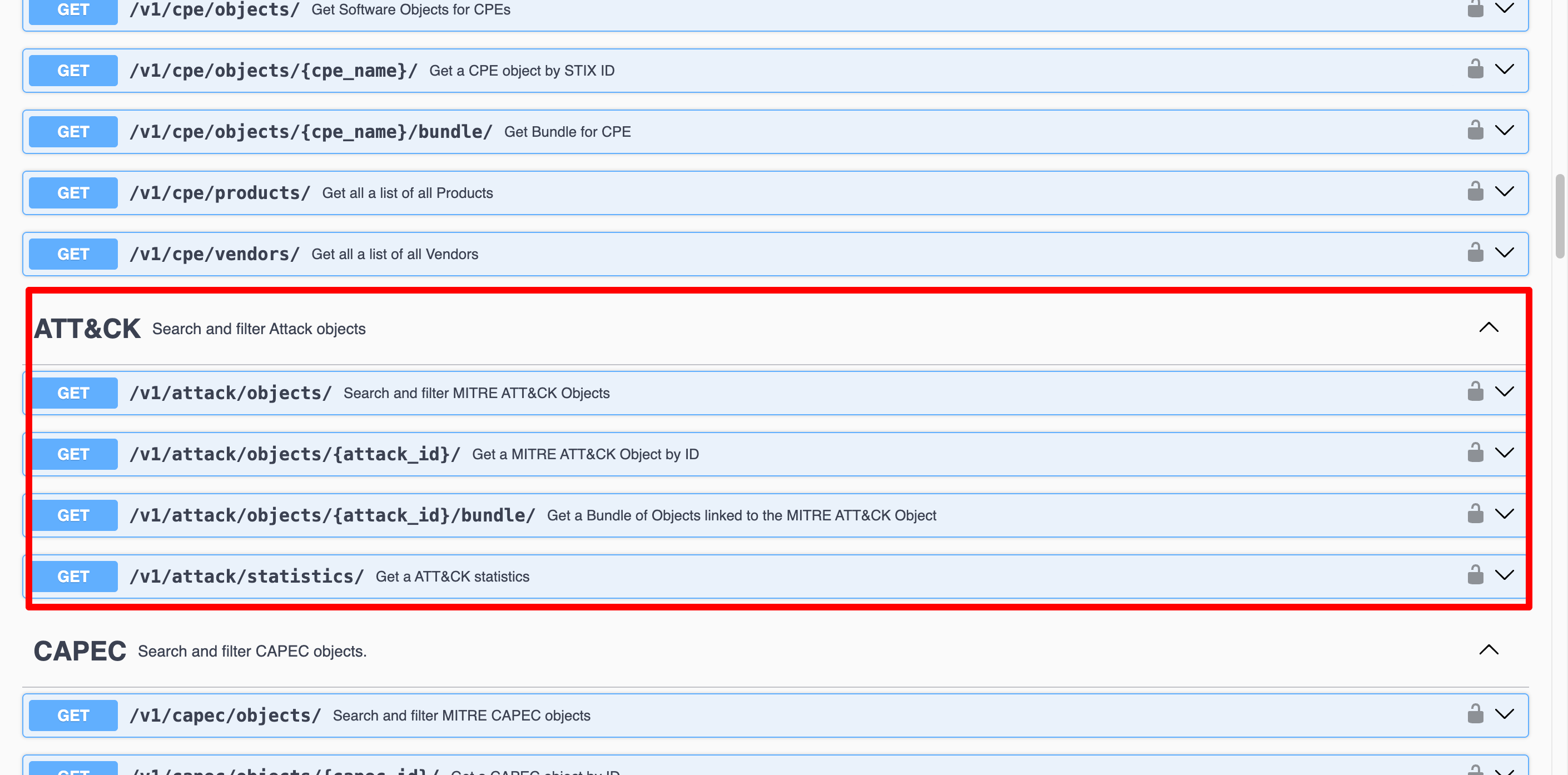
If you view the API docs you’ll see an ATT&CK section
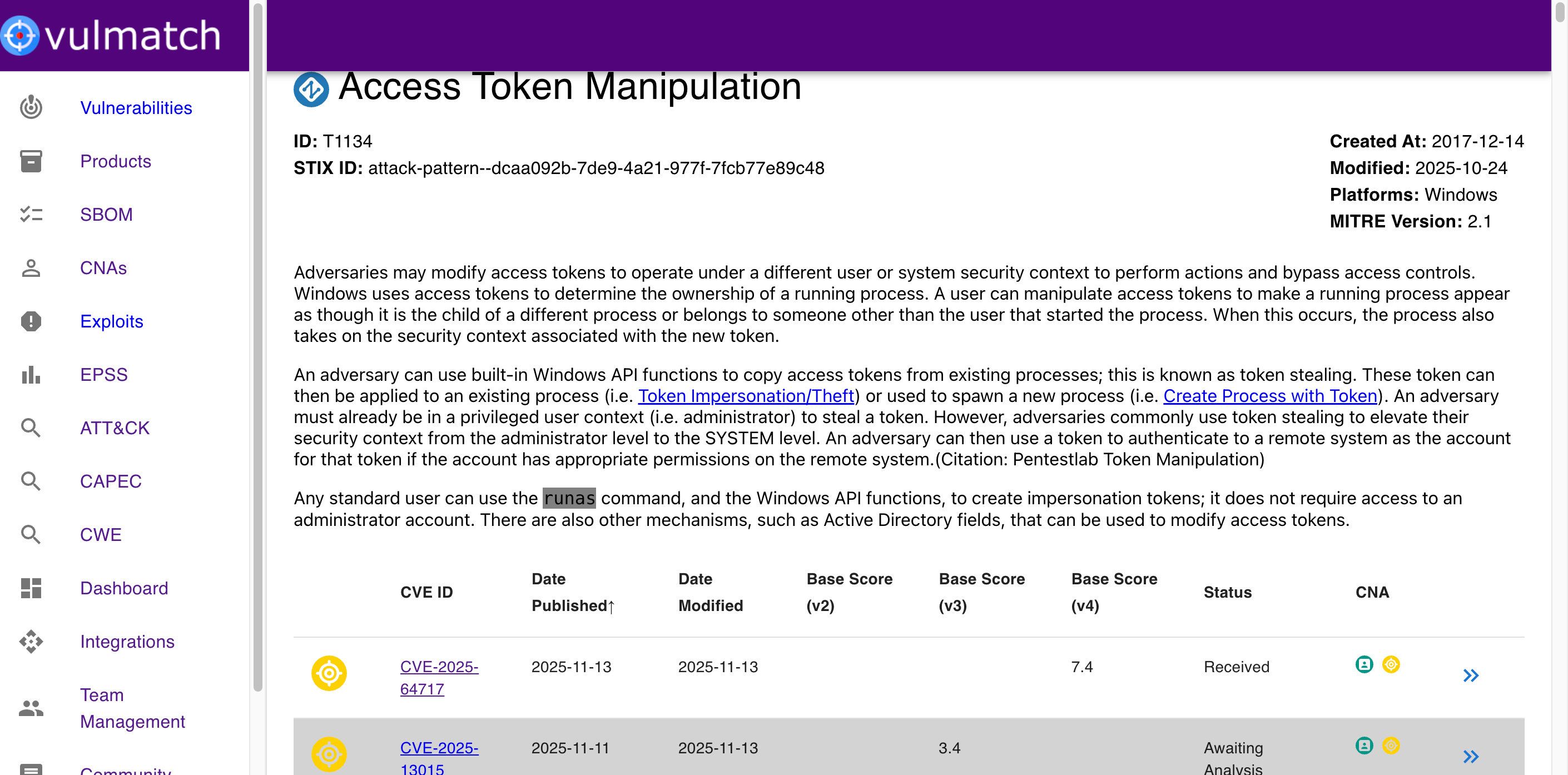
The bundle endpoint is what the frontend is using here to populate the list of CVEs .
Lets use ATT&CK Technique T1134 in your screenshot to show you this in action
The request would be
curl -X 'GET' \
  'https://api.vulmatch.com/v1/attack/objects/T1134/bundle/?type=vulnerability' \
  -H 'accept: application/json' \
  -H 'API-KEY: HIDDEN'
type=vulnerability ensures only vulnerability objects are returned (what we want).
{
  "page_size": 500,
  "page_number": 1,
  "page_results_count": 86,
  "total_results_count": 86,
  "objects": [
    {
      "created": "2024-06-25T15:15:12.377Z",
      "created_by_ref": "identity--1e4d4d72-2010-572f-ac94-85bdf2ac3529",
      "description": "VMware ESXi contains an authentication bypass vulnerability. A malicious actor with sufficient Active Directory (AD) permissions can gain full access to an ESXi host that was previously  configured to use AD for user management https://blogs.vmware.com/vsphere/2012/09/joining-vsphere-hosts-to-active-directory.html  by re-creating the configured AD group ('ESXi Admins' by default) after it was deleted from AD.",
      "extensions": {
        "extension-definition--2c5c13af-ee92-5246-9ba7-0b958f8cd34a": {
          "extension_type": "toplevel-property-extension"
        },
        "extension-definition--ec658473-1319-53b4-879f-488e47805554": {
          "extension_type": "toplevel-property-extension"
        }
      },
      "external_references": [
        {
          "source_name": "cve",
          "url": "https://nvd.nist.gov/vuln/detail/CVE-2024-37085",
          "external_id": "CVE-2024-37085"
        },
        {
          "source_name": "cwe",
          "url": "https://cwe.mitre.org/data/definitions/CWE-287.html",
          "external_id": "CWE-287"
        },
        {
          "source_name": "cwe",
          "url": "https://cwe.mitre.org/data/definitions/CWE-305.html",
          "external_id": "CWE-305"
        },
        {
          "source_name": "[email protected]",
          "description": "Patch,Vendor Advisory",
          "url": "https://support.broadcom.com/web/ecx/support-content-notification/-/external/content/SecurityAdvisories/0/24505"
        },
        {
          "source_name": "af854a3a-2127-422b-91ae-364da2661108",
          "description": "Patch,Vendor Advisory",
          "url": "https://support.broadcom.com/web/ecx/support-content-notification/-/external/content/SecurityAdvisories/0/24505"
        },
        {
          "source_name": "134c704f-9b21-4f2e-91b3-4a467353bcc0",
          "description": "US Government Resource",
          "url": "https://www.cisa.gov/known-exploited-vulnerabilities-catalog?field_cve=CVE-2024-37085"
        },
        {
          "source_name": "vulnStatus",
          "description": "Analyzed"
        }
      ],
      "id": "vulnerability--5c4bd18c-9854-5968-b6e1-a9fcfda0bc11",
      "modified": "2025-10-30T19:52:34.230Z",
      "name": "CVE-2024-37085",
      "object_marking_refs": [
        "marking-definition--94868c89-83c2-464b-929b-a1a8aa3c8487",
        "marking-definition--562918ee-d5da-5579-b6a1-fae50cc6bad3"
      ],
      "spec_version": "2.1",
      "type": "vulnerability",
      "x_cvss": {
        "v3_1": [
          {
            "base_score": 7.2,
            "base_severity": "HIGH",
            "exploitability_score": 1.2,
            "impact_score": 5.9,
            "source": "[email protected]",
            "type": "Primary",
            "vector_string": "CVSS:3.1/AV:N/AC:L/PR:H/UI:N/S:U/C:H/I:H/A:H"
          },
          {
            "base_score": 6.8,
            "base_severity": "MEDIUM",
            "exploitability_score": 0.9,
            "impact_score": 5.9,
            "source": "[email protected]",
            "type": "Secondary",
            "vector_string": "CVSS:3.1/AV:N/AC:L/PR:H/UI:R/S:U/C:H/I:H/A:H"
          }
        ]
      },
      "x_opencti_cisa_kev": true,
      "x_opencti_cvss_base_score": 7.2,
      "x_opencti_cvss_base_severity": "HIGH",
      "x_opencti_cvss_vector_string": "CVSS:3.1/AV:N/AC:L/PR:H/UI:N/S:U/C:H/I:H/A:H",
      "x_opencti_epss_percentile": 0.98842,
      "x_opencti_epss_score": 0.75699
    },
This will give you a list of all Vulnerability STIX objects. You can get the CVE ID from the name property.